

Submit flow templates for your app
Learn how to submit flow templates for your customers to use in Klaviyo's flow library
Before you begin
In order to submit flow templates for your app, your OAuth app must be published in Klaviyo’s App Marketplace.
Now that your app has been published to Klaviyo’s App Marketplace, you may publish up to 5 flow library templates to Klaviyo’s flow library (pictured below).
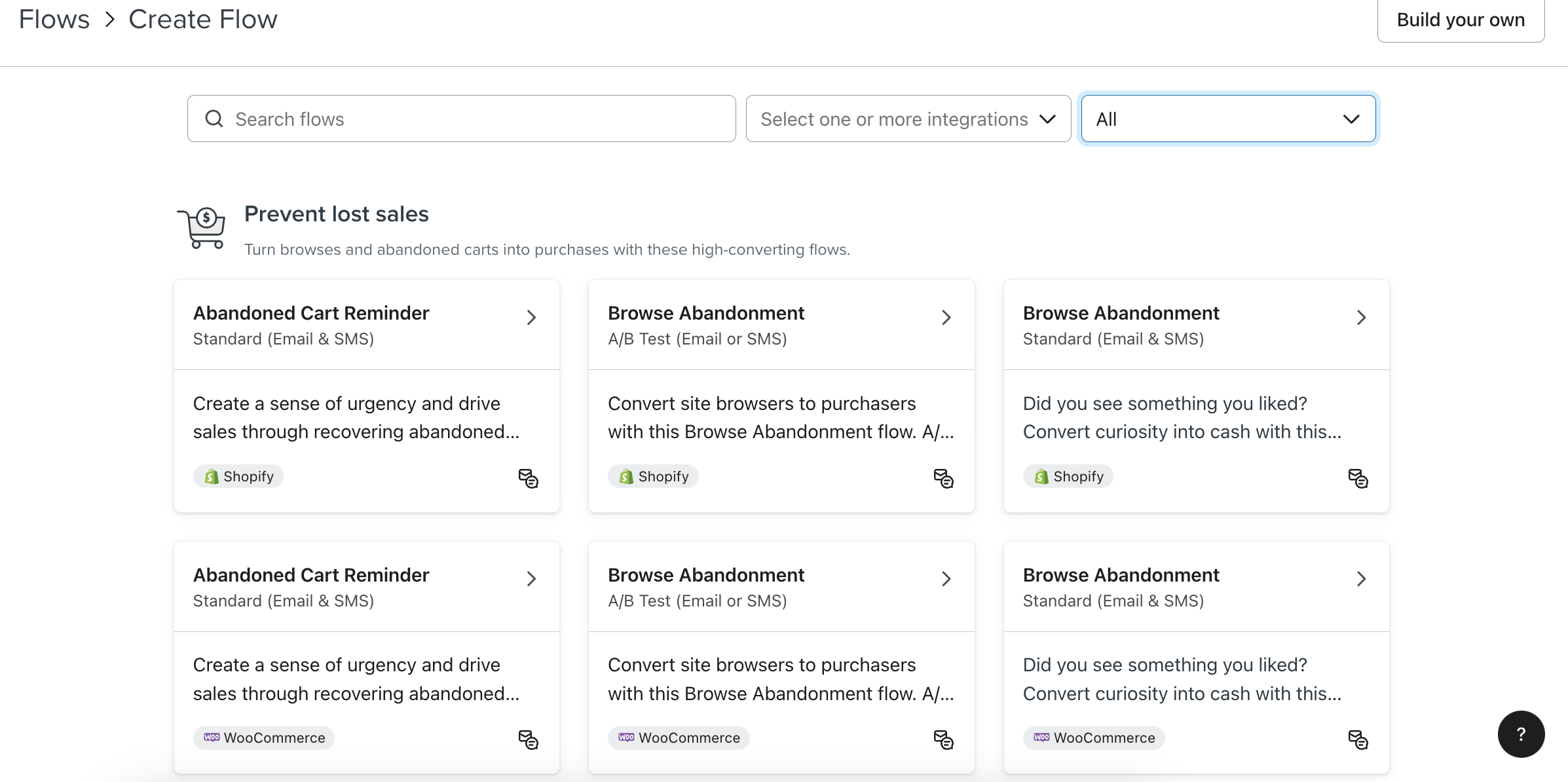
Flow library templates help your customers set up useful flows that are triggered by events in your app. Learn about the required components of a flow template (the flow itself, flow email template, and flow library card) and submit a flow template for your integration.
Flow requirements
It’s important that your flow focuses on one of your app's most intuitive use cases and meets our flow requirements. Ensure that your flow:
- Is a metric-triggered flow, i.e., your app’s metric exists in your Klaviyo account.
- Is not a multi-channel flow (includes email and SMS). In this case, you should make variations of the same flow to support each channel.
- Has been created in the same Klaviyo account that contains the reviewed and published OAuth app.
- Belongs to a category that makes logical sense.
Limitations
- Your flow must include no more than 8 steps.
- Your flow cannot leverage push as a channel.
- Your flow cannot leverage webhooks.
Flow email template requirements
Below we’ve outlined key elements of a flow email template that effectively communicate areas of customization to marketers:
- Simple content
- The message is concise and does not include any header/footer content or lengthy descriptions.
- Generic design
- The message clearly indicates where marketers can insert their own content.
- It is clear which content, logos, or images are needed from the marketer.
- Instead of including a photo or other media, the message contains a placeholder block (e.g., an empty image block).
- Correct logic and syntax
- The message’s template logic is properly configured.
- All dynamic fields contain proper syntax.
- Split paths are rejoined into one path wherever applicable to reduce manual template/content creation.
Check out the existing Klaviyo email template library in your test account for inspiration.
Manual content updates
Your flow email template may require manual intervention. For example, your template might use Django logic to dynamically display content only to certain recipients. In this case, you should flag these fields to marketers:
Create a text block at the top of your email template with conditional logic that will never be true (e.g., 1==0). In the left side panel of the template editor, click Display > Create Logic. Then, type 1==0 in the text field. Adding this logic is important so that if the customer using your template forgets to remove it, it will not render in the email message.
Paste the following message inside the text block:
**Note to customers using this template: Be aware that items highlighted in yellow require manual content updates. Please also delete this block prior to finalizing or publishing your flow.**
Fill the box with yellow (F4F3B5) for visibility and highlight any parts of the email that require manual content updates.
Flow library card requirements
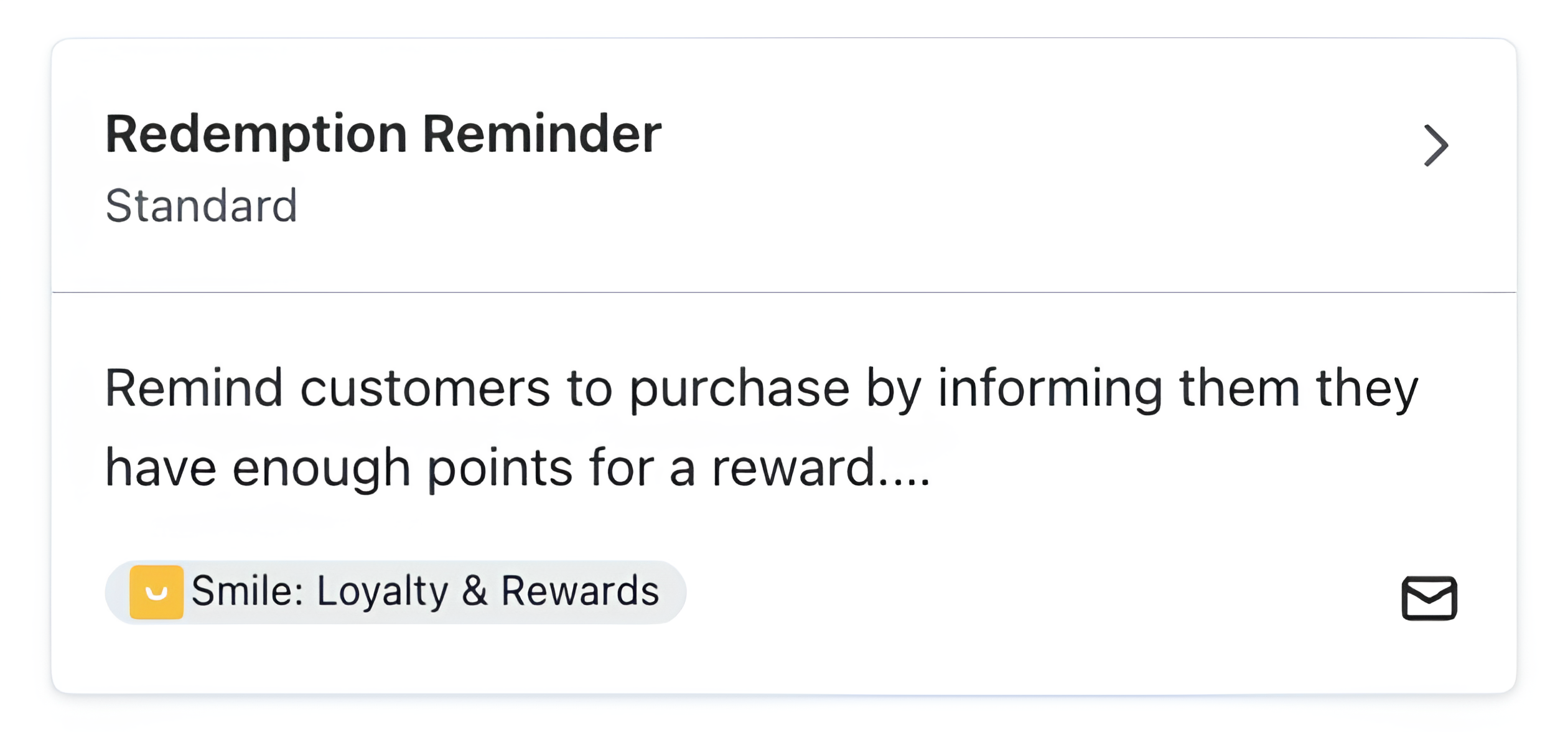
Your flow template will appear in Klaviyo’s flow library as a card, like the example below:
When the card is clicked, the full flow description and support URL will appear:
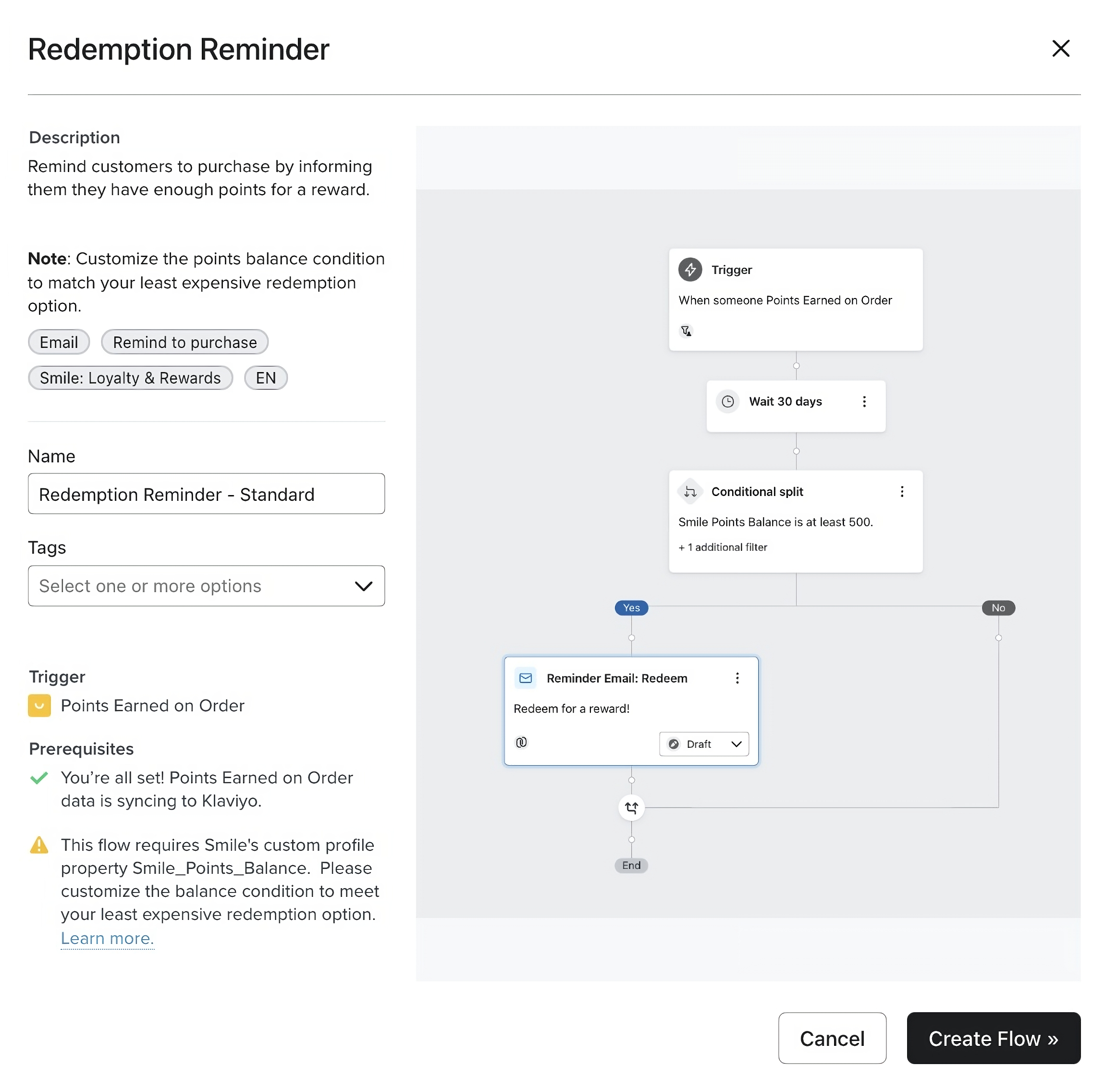
As shown above, your flow library card should contain the following elements:
Primary header
The name of the flow (<= 31 characters), for example, “Welcome Series.”
Secondary header
The type of flow (<= 31 characters)
For a unique use case:
Use “Standard” + (Channel type + “Only”). For example, “Standard (SMS Only).”
For a variation of an existing use case:
Use Variation type + (Channel type + “Only”). For example, “New vs. Returning (Email Only).”
Flow description
A description of the flow’s functionality and key benefits (>= 150 characters), for example, “Welcome new subscribers with a 3-email series that provides an introduction to your business and encourages conversion.”
Support URL
The link to relevant help documentation that appears when a marketer selects your app’s flow template from the flow library.
Categorization
For easy discoverability, you’ll need to categorize your flow into one of our predefined flow collections listed below:
| Collection | Definition | Examples |
|---|---|---|
| Prevent Lost Sales | Re-engages customers who have abandoned their carts or shown intent to purchase but haven't completed their transactions. | Cart abandonment emails Browse abandonment reminders Incentive-driven follow-ups to drive conversion |
| Nurture Subscribers | Builds relationships with new subscribers and guides them through the customer journey. Provides valuable content and incentives to encourage purchases. | Welcome series Educational content sequences Onboarding experiences Post-survey nurtures |
| Build Customer Loyalty | Strengthens relationships between merchants and their existing customers. Offers exclusive perks, rewards, and experiences to retain customers and encourage repeat purchases. | Loyalty program updates VIP offers Anniversary rewards Thank you flows |
| Remind People to Purchase | Reminds customers who have shown interest in a product but haven't purchased. Sends timely reminders, product recommendations, and limited-time offers to drive conversions. | Replenishment reminders Product recommendations based on past purchases Time-sensitive promotions |
| Encourage Repeat Purchases | Drives repeat purchases from existing customers by presenting relevant products, offers, or incentives. | Cross-sell Upsell Customer satisfaction-based (CSAT) experiences VIP customer milestone-based experiences Membership or subscription upsell |
| Send Order Updates | Provides customers with timely updates and information regarding their orders, enhancing post-purchase experience and customer satisfaction. | Shipment confirmed Out for delivery Shipment delayed Shipment delivered |
Testing
Before submitting your flow template, you’ll need to install and test your app’s end-to-end flow in a test account. Ensure that the test account is separate from the main partner account containing your flow. After testing, complete any necessary steps to verify your flow is ready to start sending.
Submit your flow template
When your flow library template is ready to be published, fill out our app-created flow submission form. Once submitted, the Klaviyo Ecosystem Team will review your flow template and provide feedback.