---
title: "Create a test account"
description: "Learn how to create a sandbox account that is linked to your production account login. Test your code end-to-end."
url: "https://developers.klaviyo.com/en/docs/create_a_test_account"
category: "Get started"
lastUpdated: "2026-11-18"
related: ["https://developers.klaviyo.com/en/docs/llms.txt","https://developers.klaviyo.com/en/docs/get_started.md"]
---
# Create a test account
> This is the Markdown version of https://developers.klaviyo.com/en/docs/create_a_test_account
Learn how to create a sandbox account that is linked to your production account login. Test your code end-to-end.
If you want to test custom integrations and applications without any risk to your production account, you can create a separate Klaviyo account for testing. This is optional.
A test account is a regular Klaviyo account with a test label. It runs in the same production environment as any other Klaviyo account, and plans and billing work the same way.
> [!NOTE]
> **New test accounts start on the free plan**
> Like any new Klaviyo account, a new account you create for testing starts on the free plan, with the free plan's usage limits and features. If you convert an existing account instead, it keeps its current plan. Linking a test account to your production account does not share your production account's plan, usage, or account verification status.
>
> Some features require a paid plan, account verification, or both on the account where you use them. For example, [custom hosted pages](https://help.klaviyo.com/hc/en-us/articles/360057679192) require paid email features and a passed [account verification](https://help.klaviyo.com/hc/en-us/articles/115000628331). [Inbox testing](https://help.klaviyo.com/hc/en-us/articles/37463094051611) and [SMS long codes](https://help.klaviyo.com/hc/en-us/articles/6637671573403) also require a paid plan. To test one of these features, upgrade the test account itself.
>
> Usage on a test account counts toward that account's plan, so watch your profile, email, and SMS usage. To compare plans, see [how free and paid plans differ](https://help.klaviyo.com/hc/en-us/articles/360050759151).
The account owner will need to set up a secondary account tied to the same email address and password as the primary account, which will link the two together in Klaviyo.
## Sign up for multiple accounts
While logged out of your production account, head over to **Klaviyo** and click the **Sign Up** button at the top of the page.
Sign up using the same email address and password currently in use on your production account, but with a different company name. For example, if the company name on your production account is _Ben's Best Books_, your test account might be called _Ben's Best Books - test_.
Complete the guided set up wizard to finalize your test account. You will also want to ensure user roles are assigned in the secondary account. Read more about multi-account user privileges.
## Convert to a test account
> [!CAUTION]
> **You will not be able to revert your test account after conversion**
> We recommend only converting accounts used for testing purposes and NOT production Klaviyo accounts. Please note that once the account is converted, you will not be able to reverse this action without the help of [support](https://help.klaviyo.com/hc/en-us/articles/115001002272).
> [!WARNING]
> **Billing still applies**
> Converting an account to a test account does not change its plan or billing. Usage counts toward the account's plan as usual.
1. Open the bottom left account selector and click **Settings**.
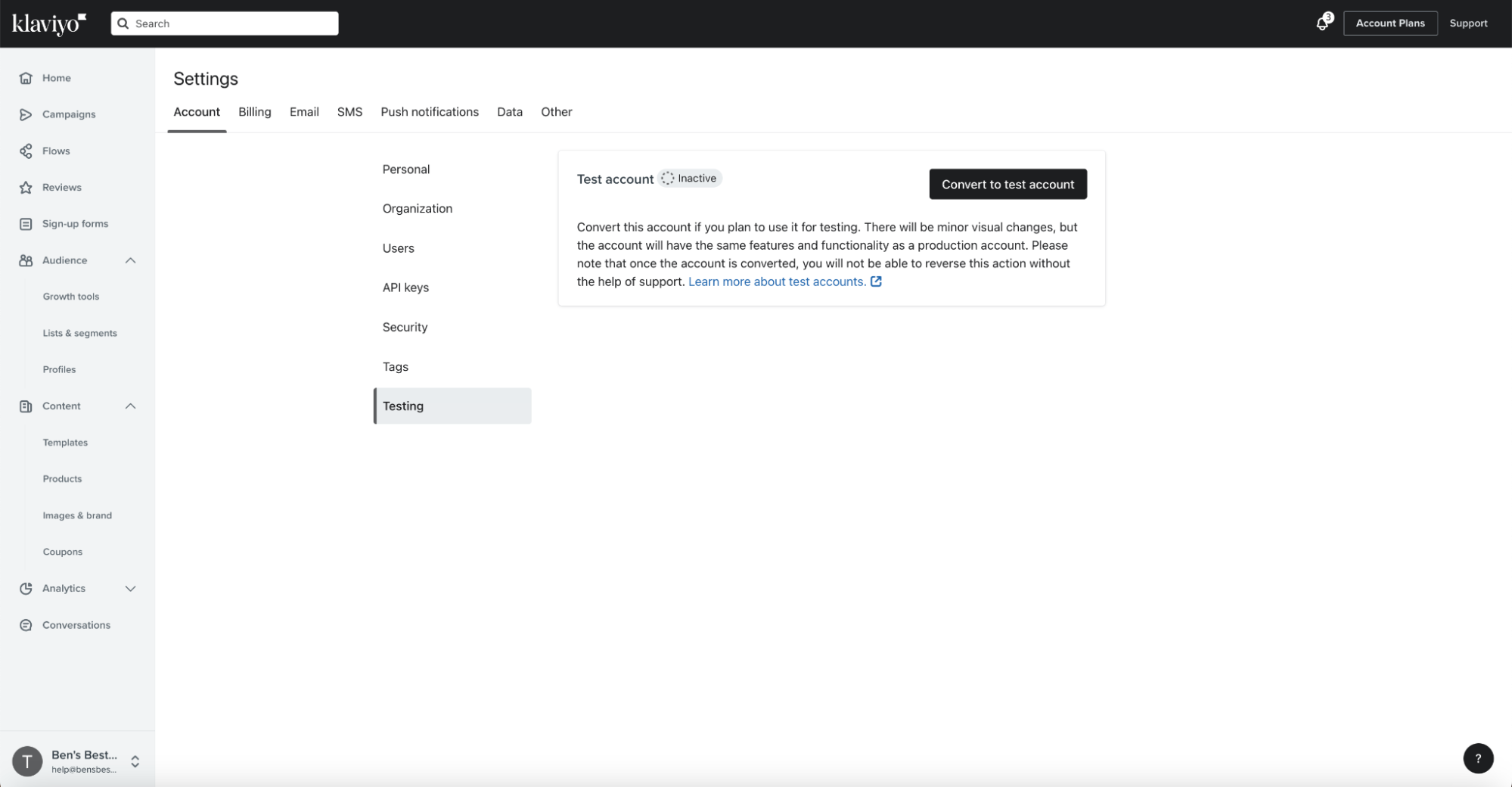
2. Navigate to **Account** > **Testing** and click **Convert to test account**.
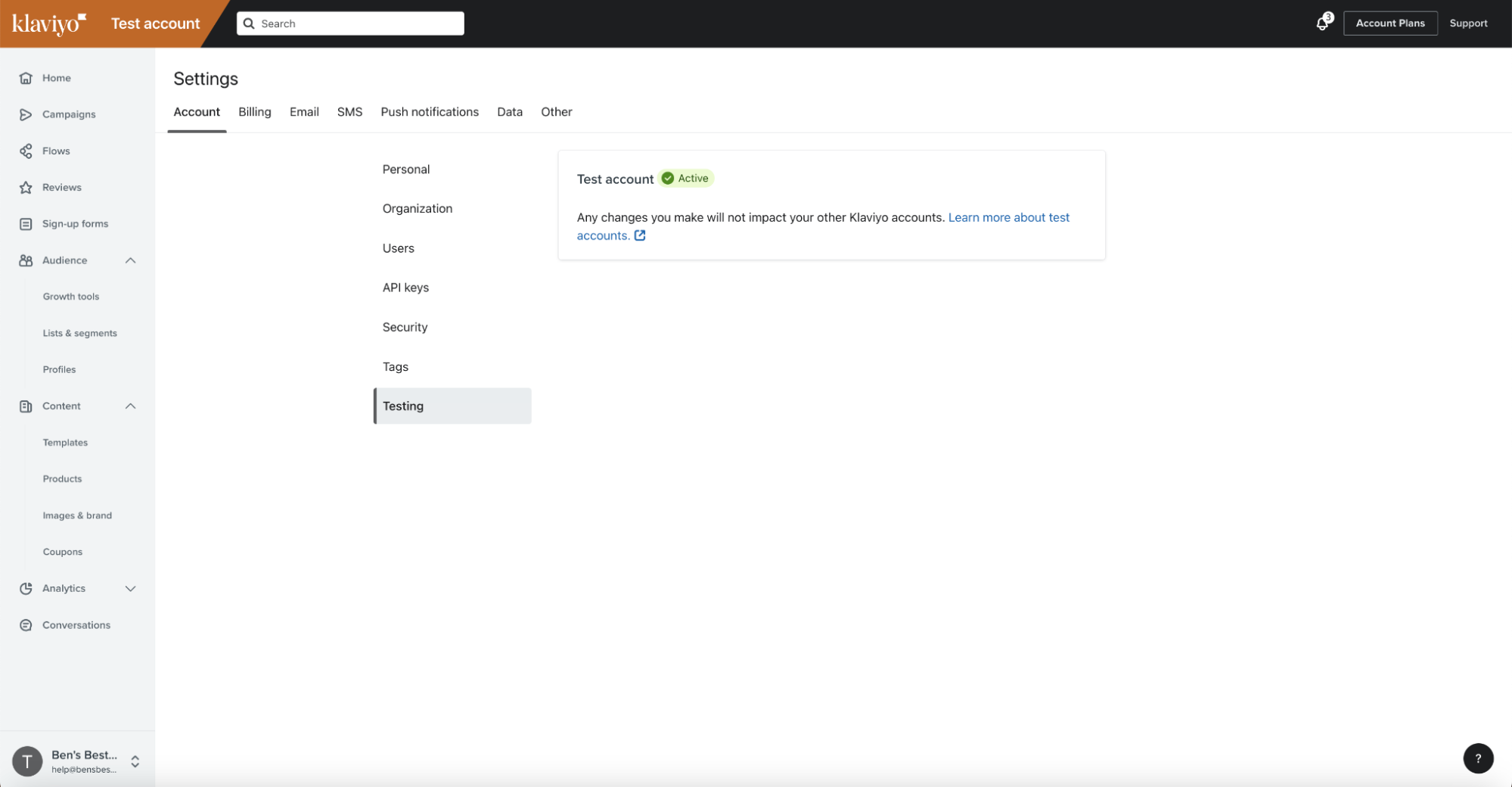
 Your account should now be an active test account, as indicated in the top left corner and shown in the example below. Note that there will be minor visual changes, but the account works the same way as any other Klaviyo account on the same plan.
 ## Swap between accounts
When you log in with an email and password associated with multiple accounts, you will automatically log in to the most recent account you were previously in. After logging in, use the account dropdown in the lower left corner to switch between production and test accounts.