---
title: "Audit your Klaviyo API usage"
description: "Klaviyo Developers | Learn how to audit your API endpoint usage, so you can migrate to Klaviyo's newest APIs."
url: "https://developers.klaviyo.com/en/docs/audit_your_klaviyo_api_usage"
category: "Legacy API migration resources"
lastUpdated: "2025-05-12"
related: ["https://developers.klaviyo.com/en/docs/llms.txt","https://developers.klaviyo.com/en/docs/migration_resources.md"]
---
# Audit your Klaviyo API usage
> This is the Markdown version of https://developers.klaviyo.com/en/docs/audit_your_klaviyo_api_usage
Klaviyo Developers | Learn how to audit your API endpoint usage, so you can migrate to Klaviyo's newest APIs.
> [!CAUTION]
> **This guide is out of date.**
> Our developer tools have changed since our v1/v2 legacy API retirement on June 30, 2024. Please visit our [Monitor your API usage guide](https://developers.klaviyo.com/en/docs/monitor_api_usage.md) for up-to-date information on Klaviyo's API audit tool. To learn more about Klaviyo's API lifecycle, check out our updated API versioning and deprecation policy.
## Before you begin
Check out our video below on how to use Klaviyo's API audit tool:
It is important to migrate to our date-versioned APIs (revisions) before retired connections cause data failures in your account. It's best practice to connect your apps to the latest stable revision of our APIs every 12-18 months. Migration to our date-versioned APIs begins with auditing your endpoint usage to manage calls to our v1/v2 APIs.
To this end, you can download an API report, which is a CSV containing all API calls coming from your account.
You can also:
- Review private API keys and labels.
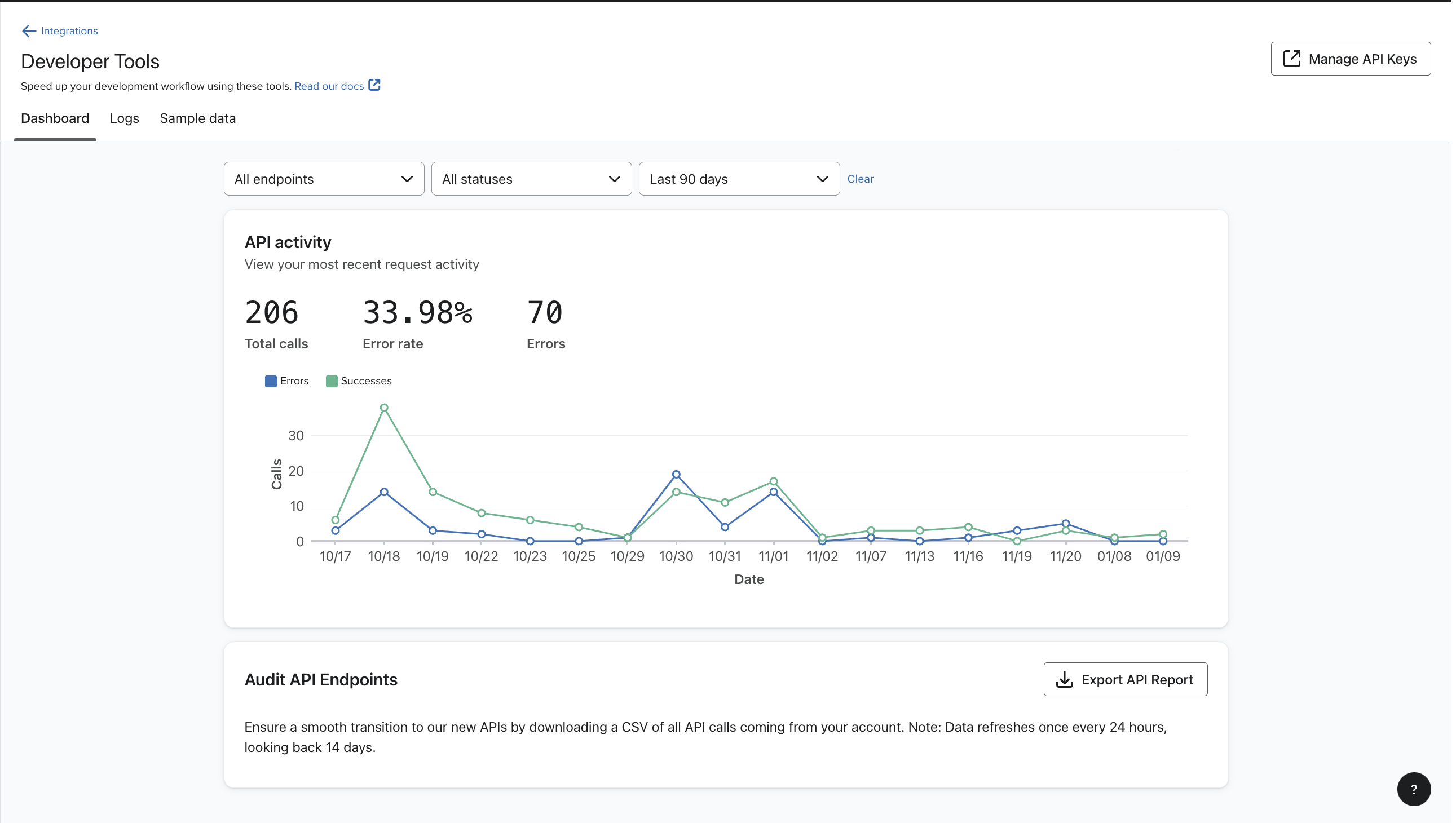
- Utilize Klaviyo’s API usage tools, such as the API activity dashboard.
- Check API metrics and profile properties.
> [!NOTE]
> **No migration needed for `klaviyo` object usage**
> You may be currently using our [klaviyo object](https://developers.klaviyo.com/en/docs/introduction_to_the_klaviyo_object.md) to capture certain metrics such as `Active on Site`, `Viewed Product`, `Added to Cart`, `Started Checkout`, or more. Note that API calls via klaviyo object will not need to be migrated. These calls are being migrated under the hood and will continue to be supported in the future.
## Use the API report
### Download the report
API report data refreshes once every 24 hours and looks back 14 days.
From the Developer tools dashboard, locate the _Audit API Endpoints_ section.

Click **Export API Report** to begin exporting your API usage data. Depending on the quantity of API usage data in your account, the download may take several minutes. When the export completes, the CSV file will have the following name format: `account id end-of-api-info-timeframe.csv`
### Included fields
The following fields are included in the report. You can use the _Endpoint Path_ field to see which calls were made from our legacy endpoints. Please note that all paths beginning with `/v1`, `/v2`. `/track`, or `/identify` are legacy endpoint calls.
| Field name | Description |
| :------------------------------------- | :----------------------------------------------------------------- |
| HTTP Method | The HTTP method of the call (e.g., GET, POST, PATCH) |
| Endpoint Path | URL of the legacy endpoint |
| API Revision | Revision used in the API request |
| Account ID / Public API Key | Account ID (as known as a public API key) used to make the request |
| Private API Key | Private API key used to make the request |
| Key Label | Any labels attached to the request |
| Key Created Date | Date the request was created |
| Key Scopes | Scopes that the private API key can call to make the request |
| Key Access Level | Level of permissions used by your scopes (e.g., read, write, full) |
| Most Recent Request Timestamp | Timestamp of the most recent request in UNIX (UTC) |
| Number of Requests | Quantity of API requests made |
| Is Valid Revision Format | Whether or not the revision format is valid |
| Is PreRelease Revision (Alpha or Beta) | Whether or not the revision is a prerelease (Alpha or Beta) |
| Legacy Endpoint Docs | Link to the URL of the legacy endpoint used |
| New Docs (or Equivalent, for Legacy) | Link to the URL of the equivalent new endpoint that should be used |
| Namespace | Relevant namespace for the endpoint used in the request |
| Is Client-Side API | Whether or not the call is to a client-side API |
| Report Time Range Start | Starting date range of the audit report |
| Report Time Range End | Ending date range of the audit report |
| Report Download Timestamp | Time and date when the report was downloaded |
| User Agent | Only available for Track & Identify calls |
| Is v1/v2 Legacy Endpoint | Boolean value if the endpoint used is a legacy endpoint |
## Review private API keys and labels
Reviewing your account’s [private API keys page](https://help.klaviyo.com/hc/en-us/articles/115005062267#find-your-api-keys2) can provide insight into where your API calls are being made. Work backwards with private API keys and labels to check your codebases for active v1/v2 API usage.
## Utilize Klaviyo’s API usage tools
To view endpoints currently being used to access your account(s), use our tools for [monitoring API usage](https://developers.klaviyo.com/en/docs/monitor_api_usage.md). You can monitor recent activity with the [API activity dashboard](https://www.klaviyo.com/developer-tools/dashboard) and view recent API requests in the [API call log](https://www.klaviyo.com/developer-tools/logs).
## Check API metrics and profile properties
Within the [Metrics tab](https://www.klaviyo.com/analytics/metrics), you can filter by _API_ using the dropdown. In the [Profiles tab](https://www.klaviyo.com/people), you can check for custom profile properties. Audit how this data enters your system to determine whether or not you use legacy v1/v2 endpoints.
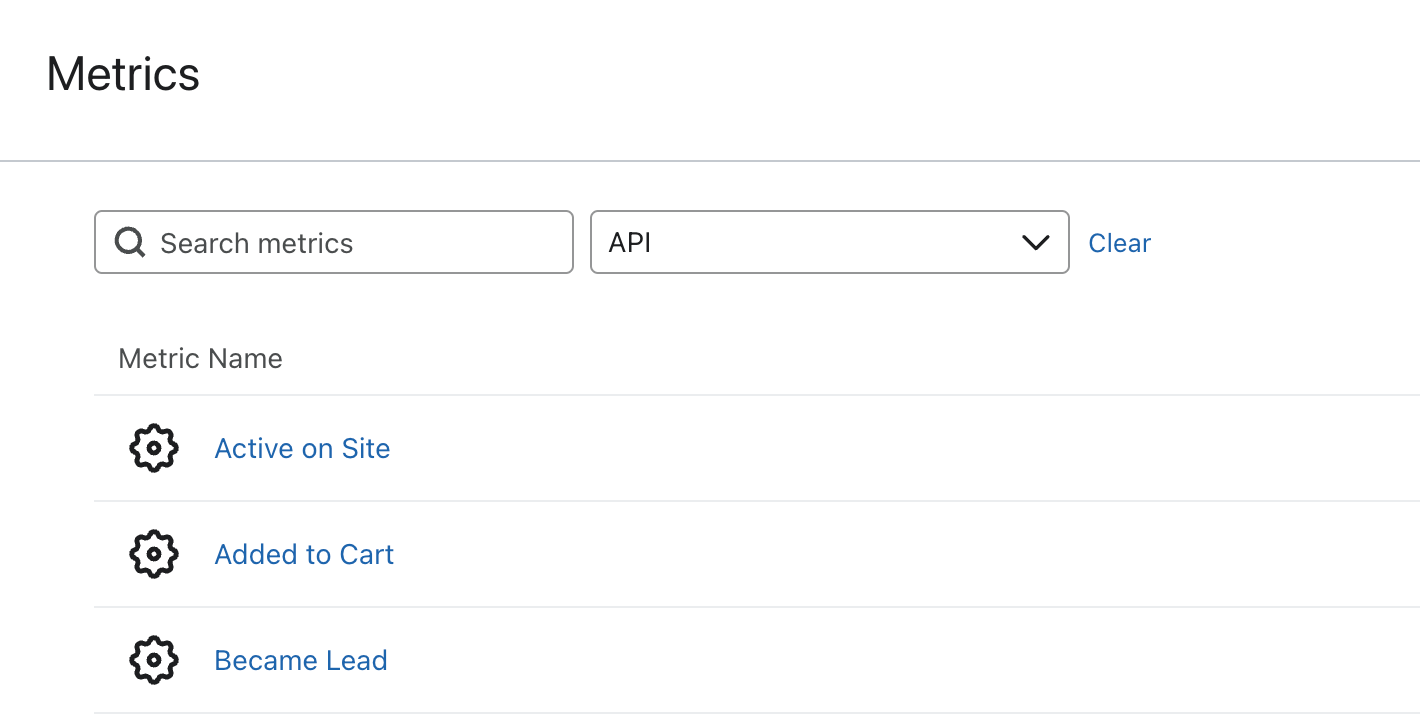 You may have additional metric types depending on how you have set up your custom integration. Be sure to audit your accounts so you know what metrics are coming from our `klaviyo` object vs direct API calls. Calls made directly from our APIs will need to be migrated.
## Migrate from v1/v2 to our new APIs
Once you have audited your API endpoint usage, you can migrate to our new APIs. Check out a full list of our top migration resources.
## Additional resources
- [New API Overview](https://developers.klaviyo.com/en/reference.md)
- [Comparison chart: v1/v2 to new endpoints](https://developers.klaviyo.com/en/docs/apis_comparison_chart.md)